# Bridge BTC Between Bitcoin and Via

The Via Alpha Testnet is fully equipped to support **BTC deposits and withdrawals** through a simple and intuitive [Via Bridge](https://testnet.bridge.onvia.org/). This is the recommended interface for interacting with the network during the Alpha phase.

## 🧩 Required Wallets

To use the bridge, you’ll need to install and connect the following wallets:

Install [Xverse Wallet](https://www.xverse.app/download) on your browser or mobile device.

***

### [**Xverse Wallet**](https://www.xverse.app/download)

#### 🔧 Setting Up Xverse Wallet for Testnet 4 for our Alpha Testnet

You need to configure the Xverse wallet properly to bridge BTC between Bitcoin Testnet4 and the VIA Alpha Testnet.

#### ⚙️ Configure Xverse Wallet for Testnet4

1. **Open Xverse Wallet**
   * Go to your browser extension or app.
   * Unlock your wallet.
2. **Access Network Settings**

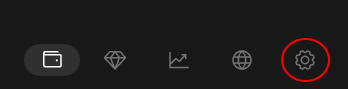
   * Click on the settings icon.

   <div align="left"><figure><img src="https://706953515-files.gitbook.io/~/files/v0/b/gitbook-x-prod.appspot.com/o/spaces%2FZHn2dZ9ChqzLzpQ8FPwd%2Fuploads%2FtrioURtkoPd0HkycchzF%2Fxverse-wallet-gear-icon.png?alt=media&#x26;token=e20b1a15-1e01-4e7d-8f95-39ebc3f645b8" alt=""><figcaption></figcaption></figure></div>

   * Go to **Network** settings.
3. **Select “Testnet4”**
   * Choose the “Testnet4” option from the list.
4. **Set Custom URLs**\
   Fill in the fields as shown below:

   **Stacks URL:**

   ```
   https://api.testnet.hiro.so
   ```

   **BTC URL:**

   ```
   https://btc-testnet4.xverse.app
   ```

   **Fallback BTC URL:**

   ```
   https://mempool.space/testnet4/api
   ```
5. **Click "Save"**\
   After entering all the URLs correctly, click **Save**.

Once you’ve completed these steps, your Xverse Wallet will be fully connected to **Bitcoin** **Testnet3**, allowing you to interact with the **VIA Alpha Testnet** bridge for BTC deposits and withdrawals.

> Make sure to only use **testnet BTC** with this configuration.

***

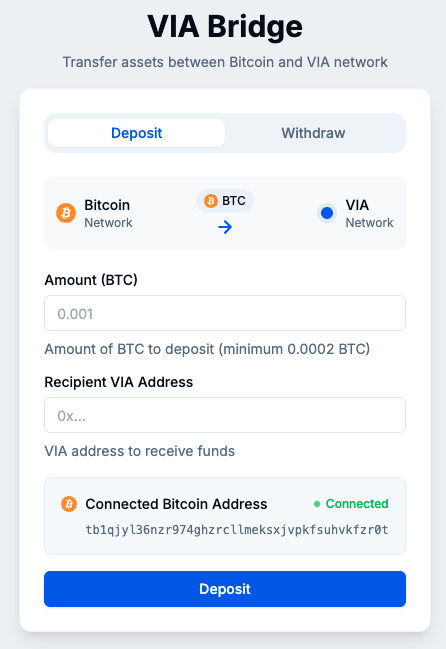
* Required to **sign and broadcast** Bitcoin Testnet3 transactions (deposits).<br>

  <div align="left"><figure><img src="https://706953515-files.gitbook.io/~/files/v0/b/gitbook-x-prod.appspot.com/o/spaces%2FZHn2dZ9ChqzLzpQ8FPwd%2Fuploads%2Fn2GaEmC4STvKVHgrEHwV%2Fimage.png?alt=media&#x26;token=f451ff8d-76ac-45c8-b076-aeae45ad9e6a" alt=""><figcaption><p>VIA Bridge UI Deposit</p></figcaption></figure></div>

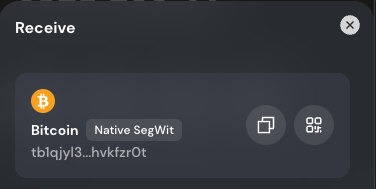
* Used to provide your Bitcoin Testnet4 address for receiving tBTC on L1.<br>

  <div align="left"><figure><img src="https://706953515-files.gitbook.io/~/files/v0/b/gitbook-x-prod.appspot.com/o/spaces%2FZHn2dZ9ChqzLzpQ8FPwd%2Fuploads%2FjTpAV1bupKV5YwuIryXN%2Fxverse%20wallet%20address.png?alt=media&#x26;token=db205800-f6c3-4698-b280-a33479af29b2" alt=""><figcaption><p>Xverse Wallet address</p></figcaption></figure></div>

* [Xverse Wallet Chrome Extension](https://chromewebstore.google.com/detail/xverse-bitcoin-crypto-wal/idnnbdplmphpflfnlkomgpfbpcgelopg)

### &#x20;**MetaMask Wallet**

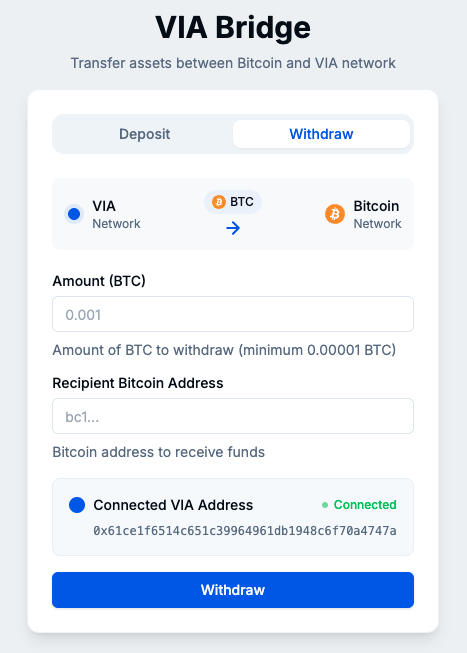
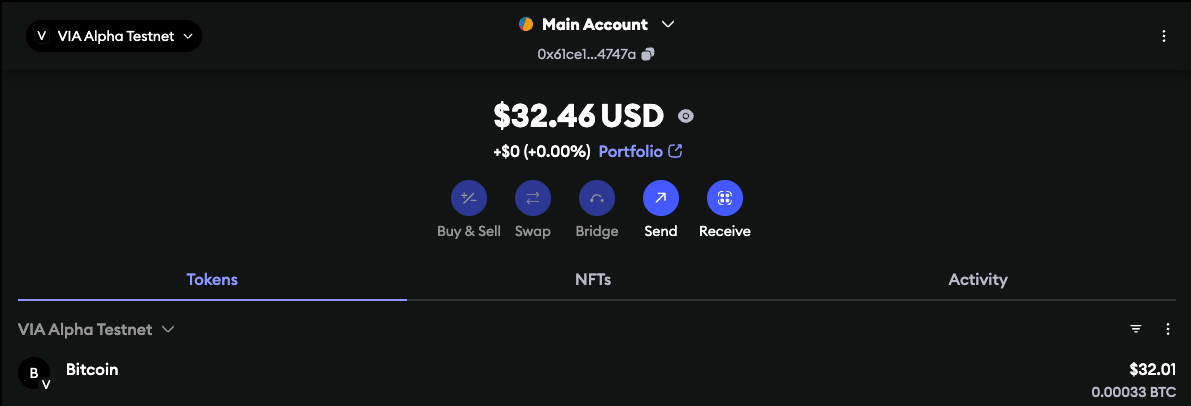
* Required to **sign and broadcast** VIA Testnet transaction (withdrawals).<br>

  <div align="left"><figure><img src="https://706953515-files.gitbook.io/~/files/v0/b/gitbook-x-prod.appspot.com/o/spaces%2FZHn2dZ9ChqzLzpQ8FPwd%2Fuploads%2FP9VjpmDOCwXY7qrV4AAt%2Fimage.png?alt=media&#x26;token=2869ce7e-d16b-4951-8119-245996fd4bca" alt=""><figcaption><p>VIA Bridge UI Withdrawal</p></figcaption></figure></div>

* Used to provide your **VIA Testnet (EVM) address** for receiving L2 funds.<br>

  <div align="left"><figure><img src="https://706953515-files.gitbook.io/~/files/v0/b/gitbook-x-prod.appspot.com/o/spaces%2FZHn2dZ9ChqzLzpQ8FPwd%2Fuploads%2F94XsMxtRIKLHikpwlgPX%2Fimage.png?alt=media&#x26;token=38132640-e63b-4084-a3d1-21fac9ebc7ab" alt=""><figcaption><p>MetaMask Wallet</p></figcaption></figure></div>

* [MetaMask Wallet Chrome Extension](https://chromewebstore.google.com/detail/metamask/nkbihfbeogaeaoehlefnkodbefgpgknn?hl=en)

{% hint style="info" %}
**MetaMask version >=12.15.2** is required to sign withdrawal (EIP712) transactions successfully.
{% endhint %}